
All Sources (Default)
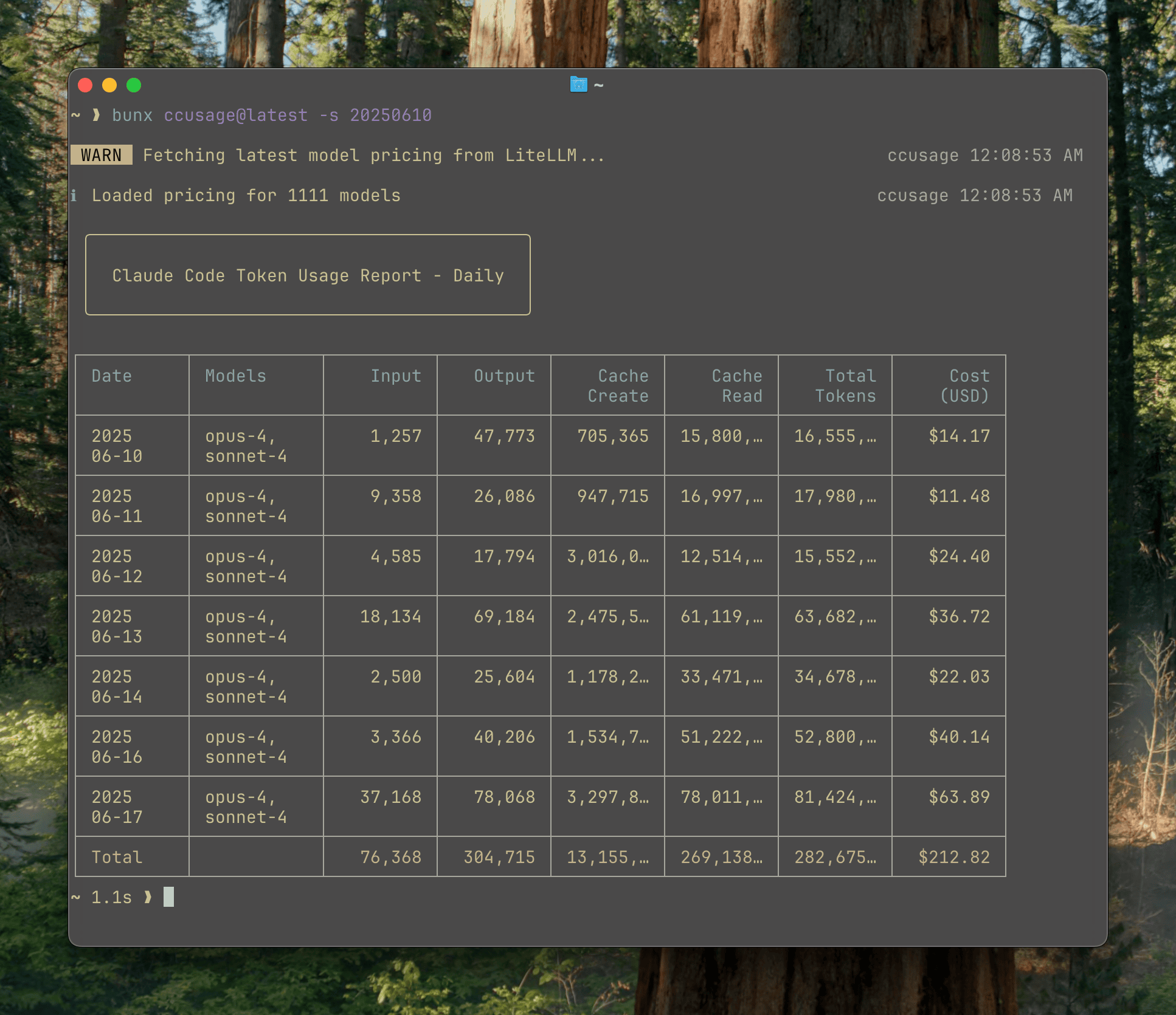
ccusage aggregates every detected supported data source by default. You do not need a special all command or flag for the common case.
Basic Usage
# Daily usage across every detected source
ccusage
ccusage daily

# Other unified views
ccusage weekly
ccusage monthly
ccusage session
The --all flag is accepted for compatibility, but it is optional because unified views are already the default.
ccusage daily --allFor automation, unified JSON reports can emit several report sections from one load:
ccusage daily --sections daily,monthly,session --json
ccusage daily --by-agent --json
--sections accepts daily, weekly, monthly, and session. The invoked report section is always included, and table output prints each requested section as a separate table. --by-agent adds an agents array to daily, weekly, and monthly JSON rows; session rows are already source-specific.
How Unified Views Work
ccusage detects local usage files from Claude Code, Codex, OpenCode, Amp, Droid, Codebuff, Hermes Agent, pi-agent, Goose, OpenClaw, Kilo, Kimi, Qwen, GitHub Copilot CLI, Gemini CLI, Antigravity, Grok Build CLI, and ZCode. The same daily, weekly, monthly, and session views can run in two modes:
| Mode | Command example | What it shows |
|---|---|---|
| Unified | ccusage daily | Every detected supported source |
| Focused | ccusage codex daily | One source using the same report shape |
| Focused | ccusage claude daily | One source with source-specific options |
Unified tables include an Agent column so you can compare sources in one view. Focused views remove that comparison layer and show the selected source in more detail where applicable.
Supported Sources
| Source | Namespace | Example focused view |
|---|---|---|
| Claude Code | claude | ccusage claude daily |
| Codex | codex | ccusage codex daily |
| OpenCode | opencode | ccusage opencode weekly |
| Amp | amp | ccusage amp session |
| Droid | droid | ccusage droid daily |
| Codebuff | codebuff | ccusage codebuff daily |
| Hermes Agent | hermes | ccusage hermes daily |
| pi-agent | pi | ccusage pi monthly |
| Goose | goose | ccusage goose daily |
| OpenClaw | openclaw | ccusage openclaw daily |
| Kilo | kilo | ccusage kilo daily |
| Kimi | kimi | ccusage kimi daily |
| Qwen | qwen | ccusage qwen daily |
| Copilot CLI | copilot | ccusage copilot daily |
| Gemini CLI | gemini | ccusage gemini daily |
| Antigravity | antigravity | ccusage antigravity daily |
| Grok Build CLI | grok | ccusage grok daily |
| ZCode | zcode | ccusage zcode daily |
When to Focus a Source
Use a source namespace when you want source-specific options or when you are debugging one local data format:
ccusage codex daily --speed fast
ccusage claude daily --mode display
ccusage opencode session --json
ccusage amp monthly --compact
ccusage droid session
ccusage codebuff daily
ccusage pi session --pi-path /path/to/sessions
ccusage openclaw daily --open-claw-path /path/to/openclaw
ccusage kilo session
ccusage qwen daily
ccusage copilot daily --json
ccusage gemini session --json
ccusage grok daily --json
ccusage zcode daily --json
Next Steps
- Daily Usage - Calendar-day usage
- Weekly Usage - Week-by-week usage
- Monthly Usage - Longer-term usage trends
- Session Usage - Per-conversation usage
- Data Sources - Supported local data formats
- Source Support Q&A - Why some investigated CLIs are not supported